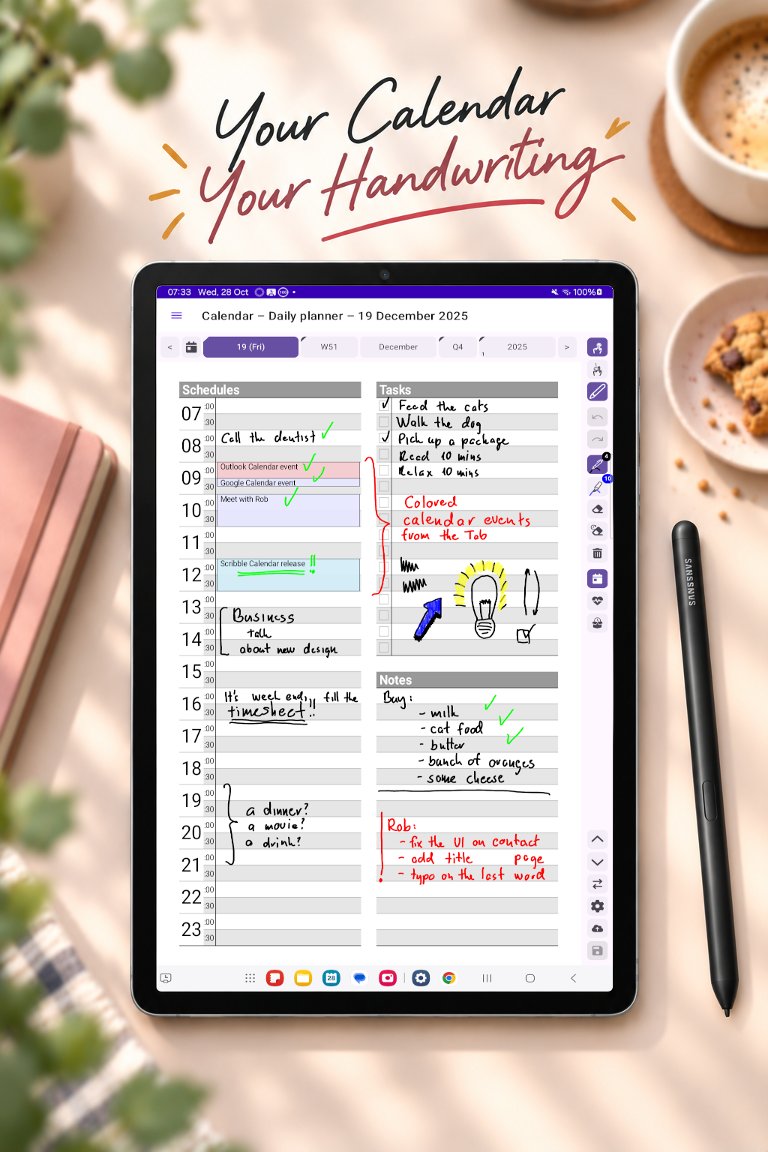
A planner that uses the pen you already have
Many Android phones and tablets come with a stylus, yet most calendar apps only want you to type. Scribble Calendar turns the pen into the way you plan: you write and draw on calendar pages exactly as you would on paper. It works with Samsung’s S Pen on Galaxy Tab and Galaxy phones, and with the other active and EMR pens Android supports.
The stylus button erases
If your pen has a side button, hold it down and the pen becomes an eraser; let go and you are writing again. You never have to reach for the toolbar to fix a word. The toolbar beside the page is still there for everything else: pens in different styles, widths and colours, a highlighter, the eraser, and undo and redo.
From the year to the day
Every period has its own page – year, quarter, month, week and day – and the bar above the page moves between them in one tap. The Day page has a schedule in half-hour rows, a task list with checkboxes and space for notes, and a health view for your mood, sleep, water, meals and activity. Every page has note pages behind it that never run out.
Phone or tablet, portrait or landscape
The same planner works on a large tablet and on a phone with a built-in pen, in portrait and in landscape. In the settings you can choose the hour your day starts at and the calendar locale that decides your weeks, and put a shortcut to your calendar on the home screen.
Your calendars on the page
The events of every calendar your device syncs – Google, Samsung, Outlook or any other account – appear on the pages beside your handwriting. Creating and editing events in the app is part of Premium, a one-time purchase.
Private by design
No account is needed and your planner pages are never uploaded to a server of ours. Export a backup into your Downloads folder whenever you like, or keep your pages in step across your devices through your own Google Drive with the optional sync subscription.
Planning on an iPad as well? See the iPad guide.